- AI with Kyle
- Posts
- AI with Kyle Daily Update 176

OpenAI dropped ChatGPT Images 2.0 on Monday. Nano Banana Pro has been the uncontested image generation champion for about 10 months. I ran both through five real business tasks on the Livestream. Same prompts. Zero edits. What came out genuinely surprised me.
ChatGPT Images 2.0 won five out of five. Not by a little - by a lot on some of them. There's a catch at the end about price, which is why Nano Banana is still in the stack. But if you make marketing assets for a business, today is the day your workflow changes.
I was genuinely NOT expecting to be so impressed by Image 2.0. But hey, here we are!
The Setup
I'm not covering this as an AI art tool. I don't care about photo-realism, I don't care about animation, I don't care about music generation. This newsletter is about using AI to run businesses. So I gave both models the kind of jobs a real business actually needs:
A YouTube thumbnail
A Facebook ad for a free course
A four-panel explainer comic
An event poster with a working QR code
A full LinkedIn carousel from an existing article
Both models got the exact same prompt. Zero edits. Then one follow-up tweak on each to test sequential prompting.
That’s the setup. Let’s see how they did!
Test 1: YouTube Thumbnail
I gave a prompt for a YouTube thumbnail, 1280x720, left two-thirds a shocked guy in a hoodie pointing right, right side a vertical split showing ChatGPT vs Gemini generating a menu, clickbait text "ChatGPT just killed Canva."
ChatGPT nailed it first time. Mr Beast shocked-pointing pose, clean mockups of the two interfaces on the right, text legible.
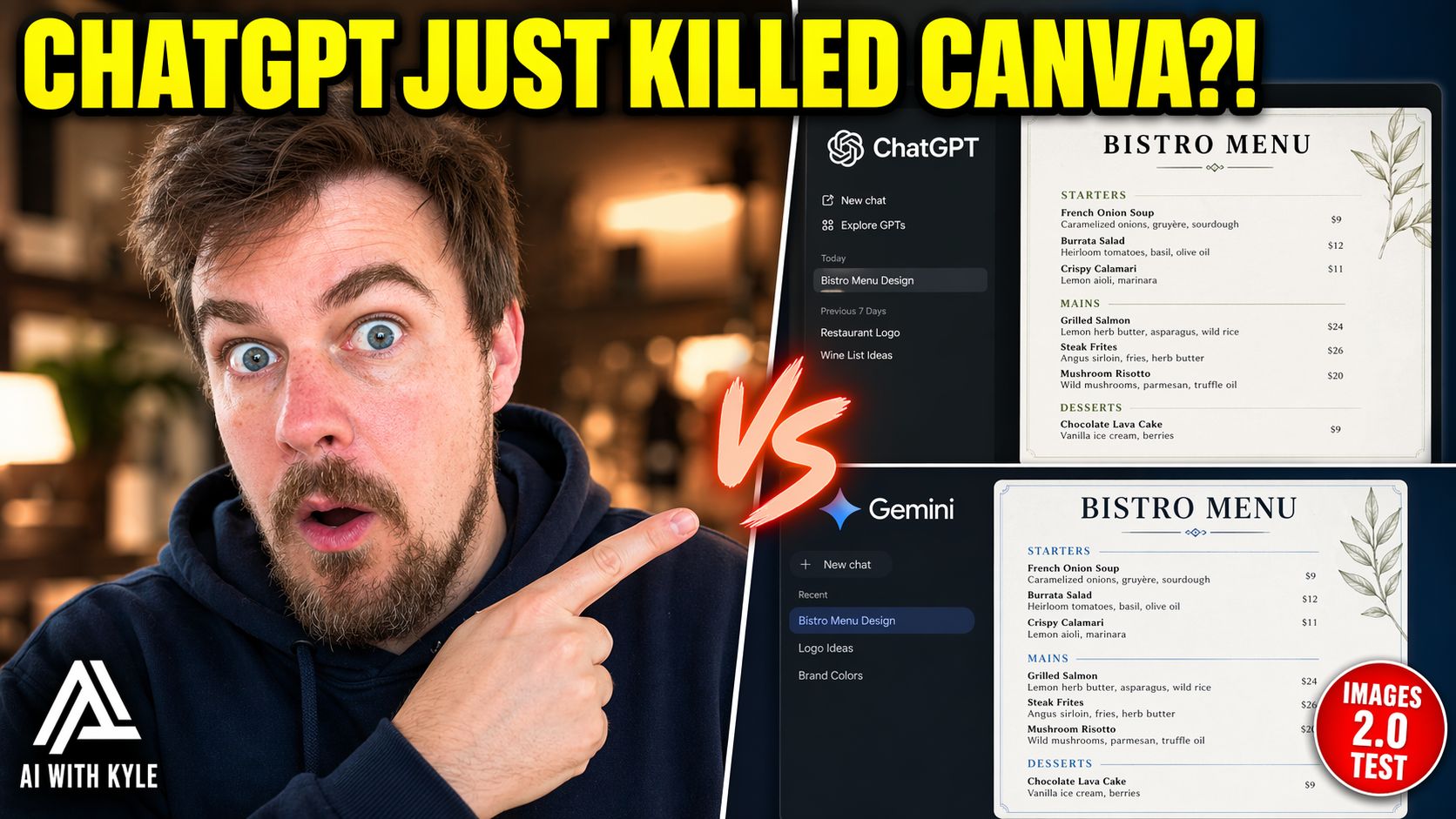
Strong for a first pass
Nano Banana also got it - pretty similar result actually. I preferred the ChatGPT version. Close fight on the initial render.
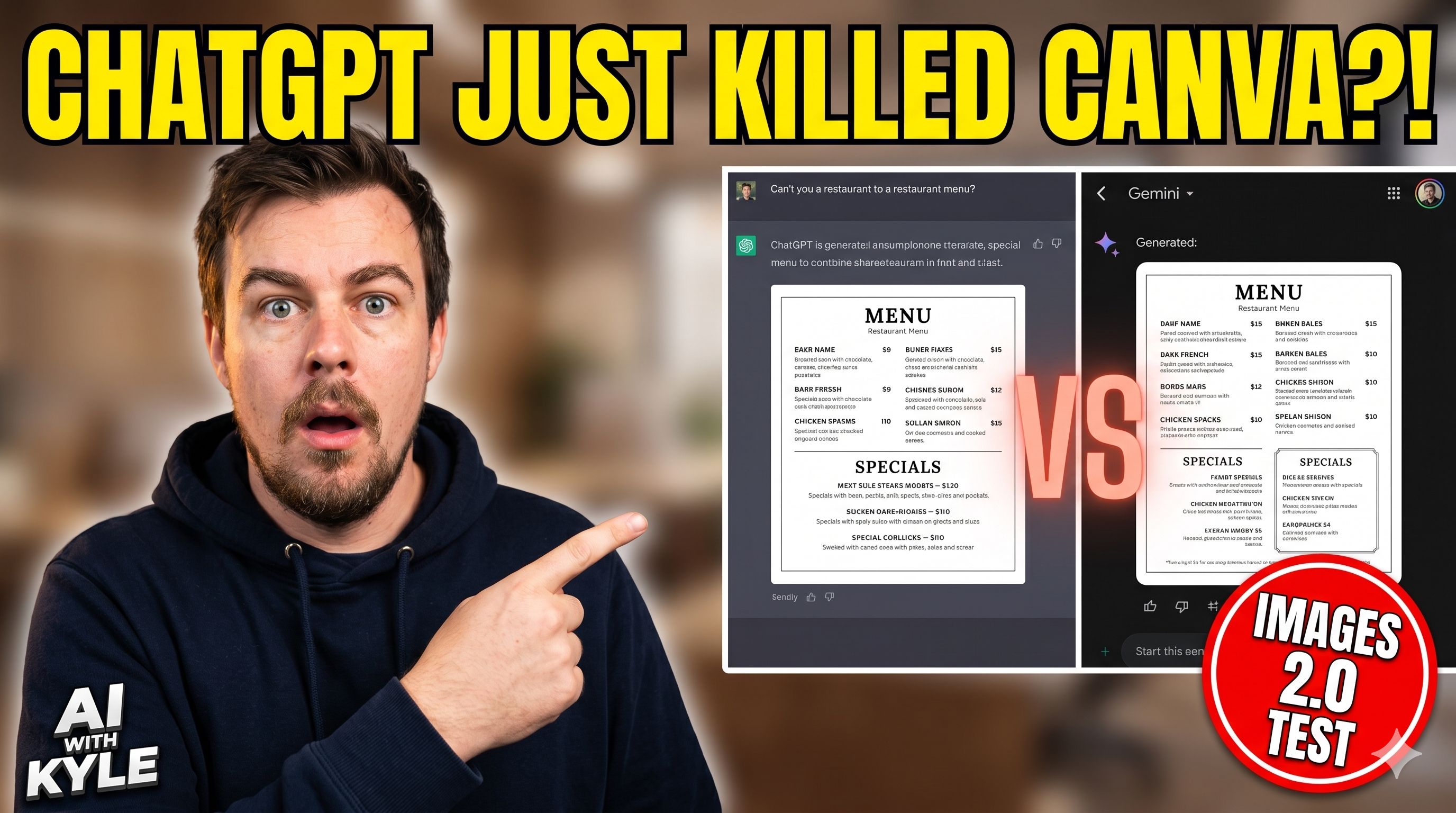
Perfectly serviceable
Then the real test: I added one follow-up prompt to both - "put him in RayBan sunglasses."
ChatGPT added the sunglasses. Everything else stayed exactly the same. Perfect sequential prompting. This is what we want.
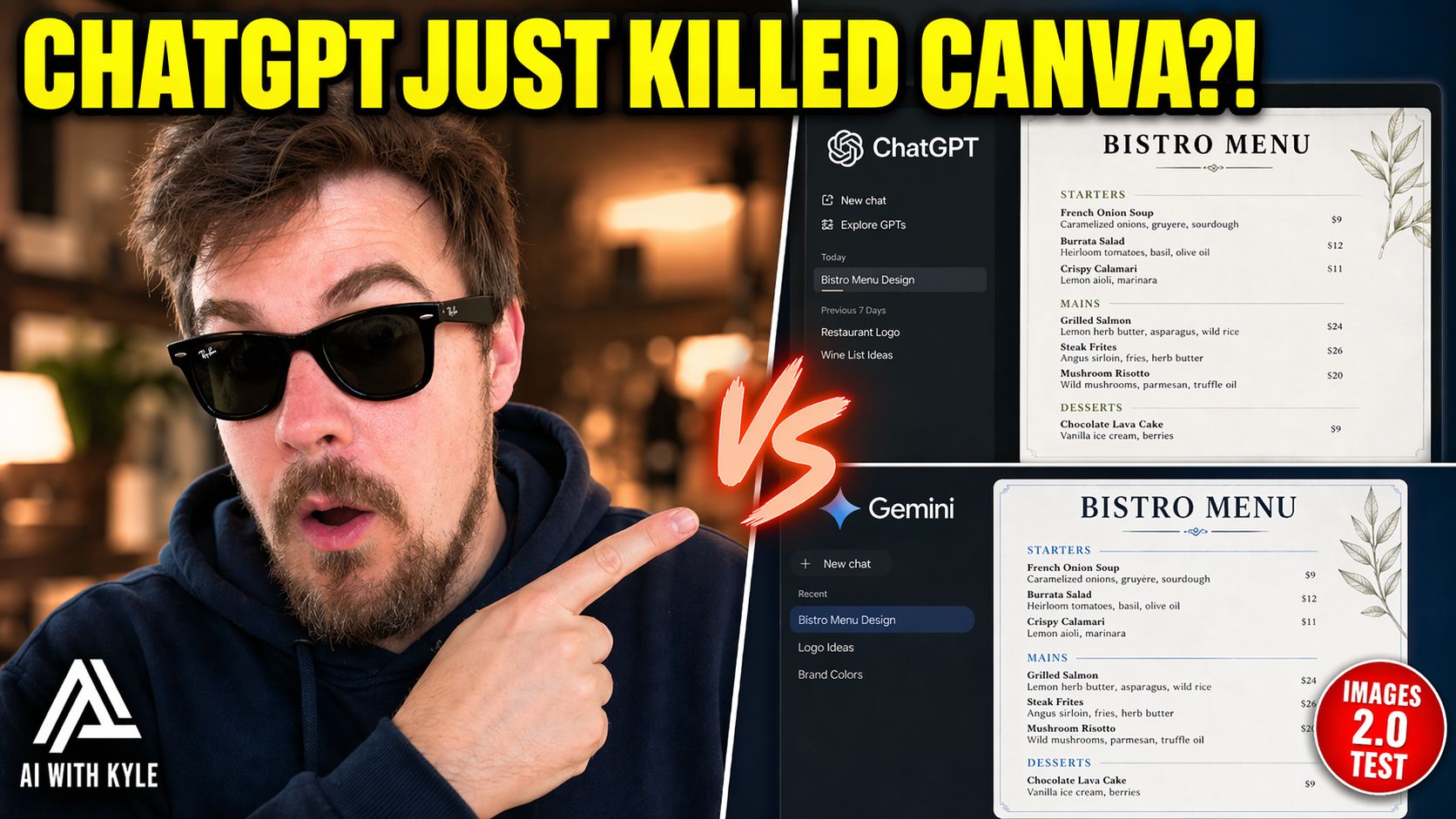
Cool guy!
Nano Banana added the sunglasses and completely reformatted the image into a 9:16 portrait. It forgot we were making a YouTube thumbnail. Completely lost the original task.
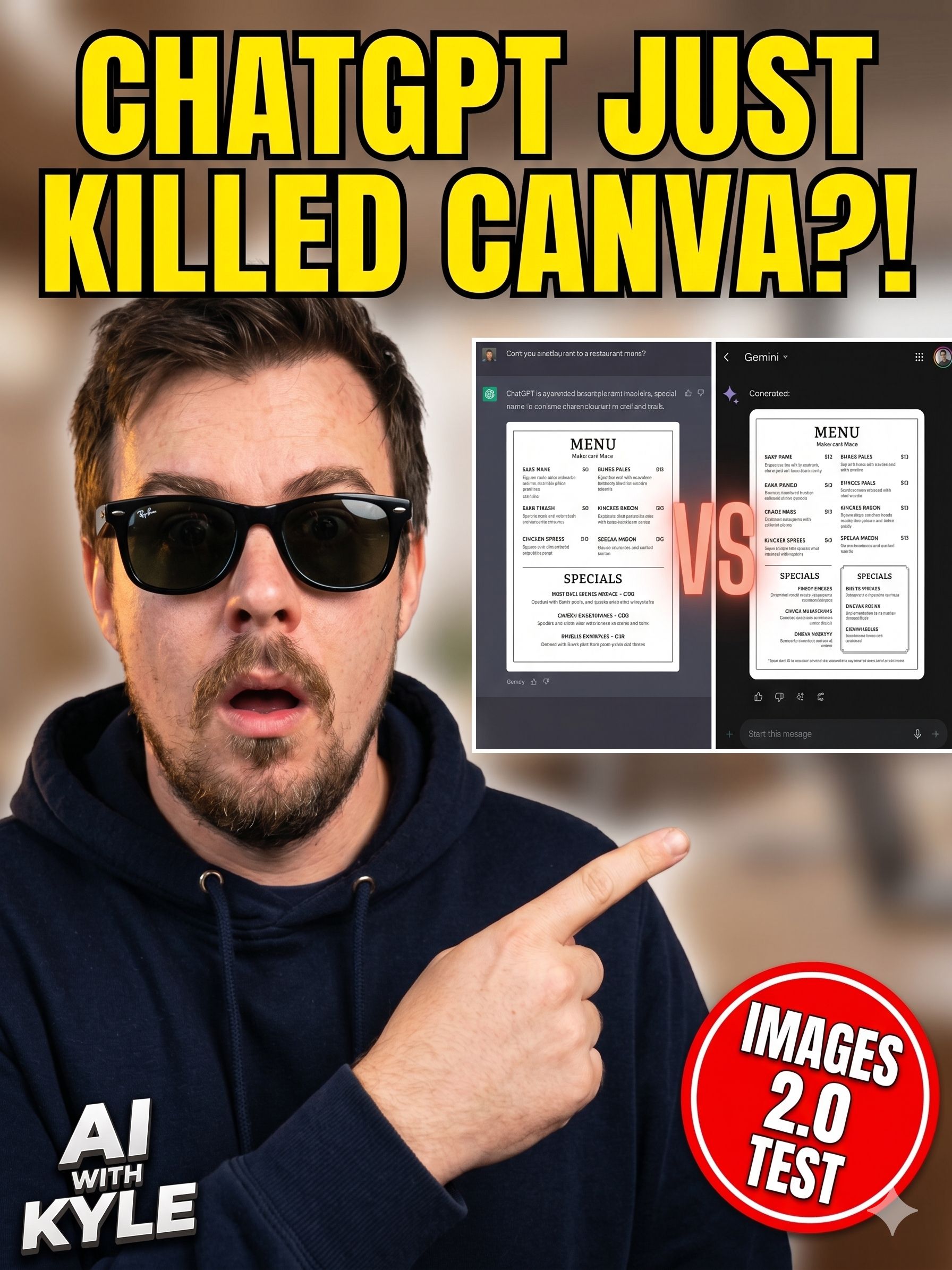
Nanobanana flubbed it
KSequential prompting is where most image workflows live or die. You get something 90% right, try to tweak it, and the model rebuilds everything from scratch. ChatGPT Images 2.0 holds the context. That alone changes how usable these tools are for real work. Nanobanana crashed and burned on this one!
Test 2: The Facebook Ad
Prompt: 1080x1080 square Facebook ad. Flat overhead shot on warm linen. Silver laptop showing a purple-and-white dashboard with a "Day 1 of 5" progress bar. Mug with steam. Tortoiseshell glasses. Leather notebook. Olive plant. Soft morning light. Bold navy headline "Get AI Ready in 5 Days." Pill-shaped CTA. Apple meets Morning Brew aesthetic.
ChatGPT followed everything. Olive plant - check. Linen pattern - check. Steam - check. Text legible, exactly as written. Composition felt like a premium ad.
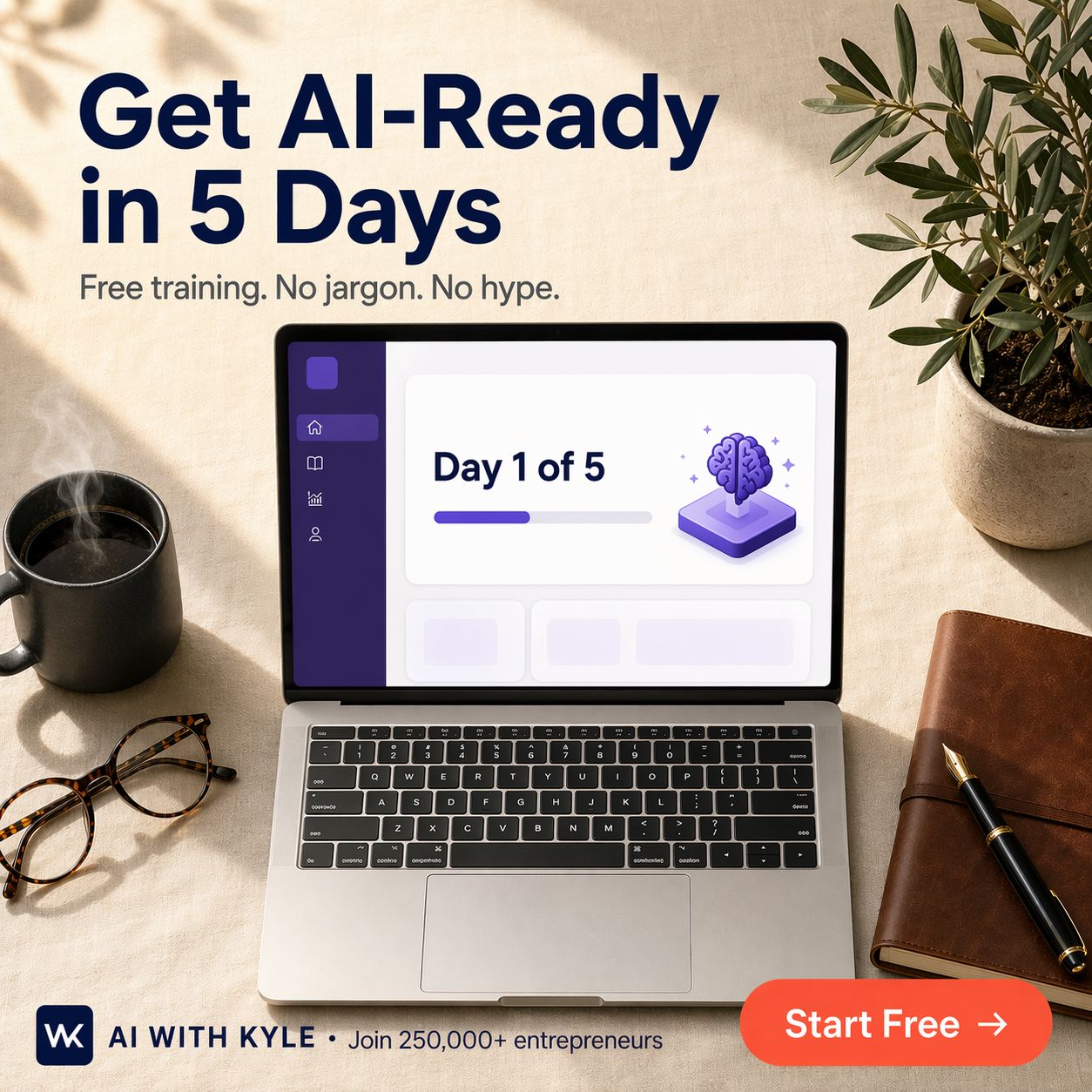
Image 2.0 version - clean
Nano Banana got it technically right. Text correct. All elements present. But chose a high overhead angle that flattens the composition. Also snuck in a purple banner that looks a lot like a Google Form header, because it's Google and it defaulted to Google interface design.
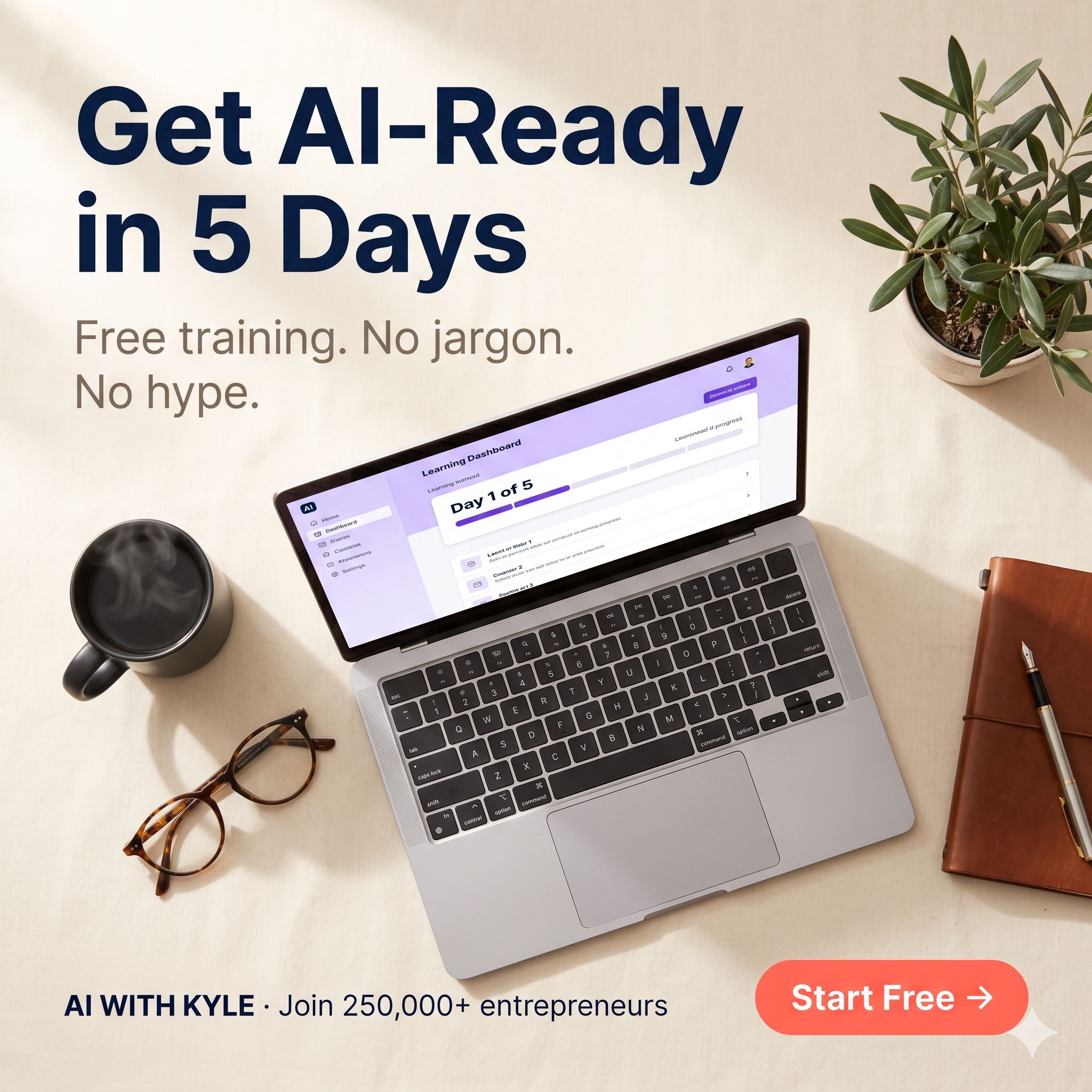
Nanobanana - strange angle decision
Both are usable. If I'm running a real ad campaign I'd test both in paid traffic and let CTR decide. But as a first-pass output, the ChatGPT version looked more like a real ad I'd spend money running. The NB2 made a strange decision on the angle - but is otherwise mainly serviceable.
Test 3: The Four-Panel Explainer Comic
Prompt was for a four-panel comic. Frazzled entrepreneur surrounded by ChatGPT, Claude, Gemini, Midjourney logos. Then panels resolve into them finding their AI stack. Specific wording in each panel.
ChatGPT got every logo right. Spelled "entrepreneur" correctly, which AI famously gets wrong (tbf so do I…). Clean layout. Text legible.
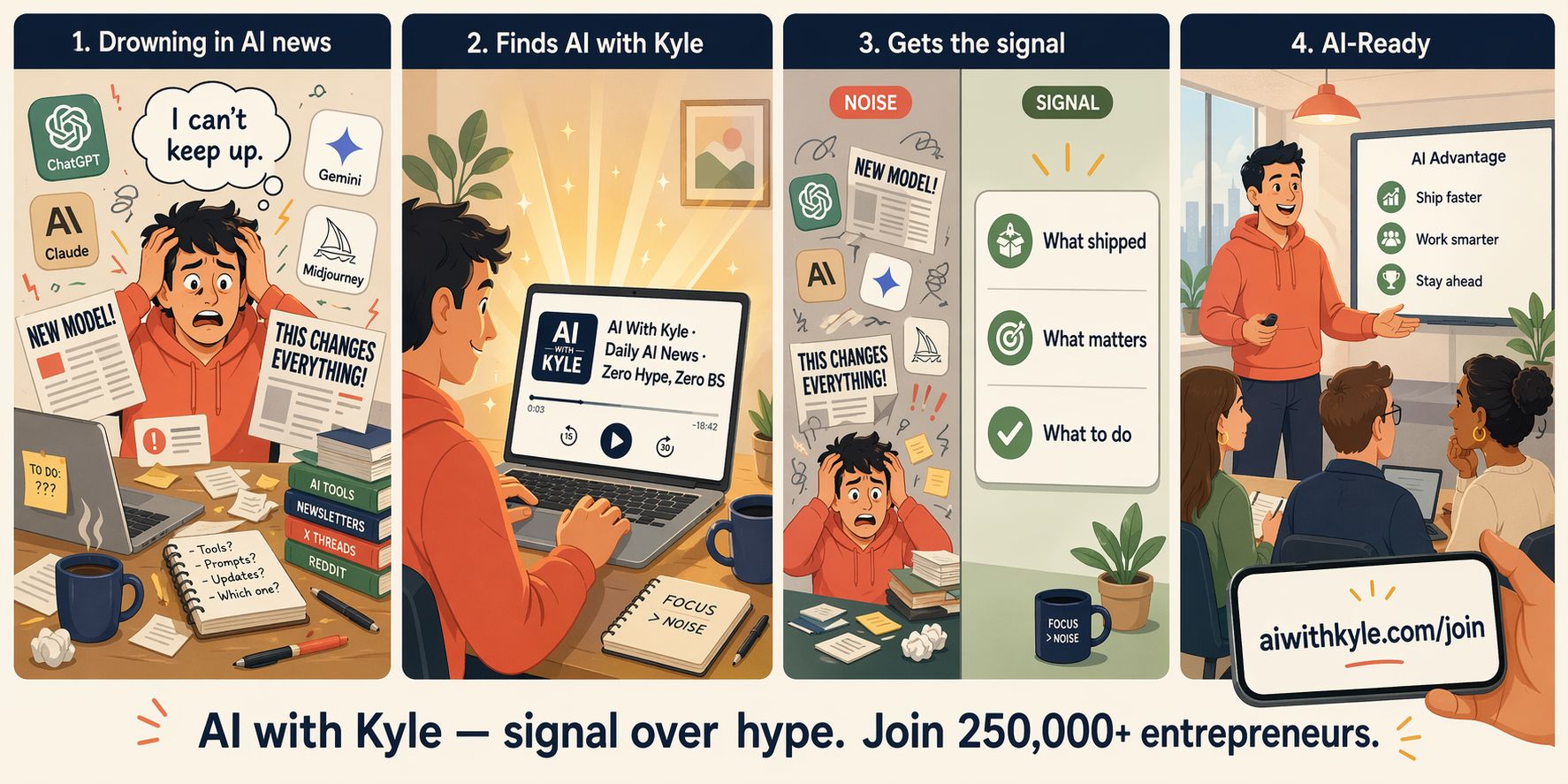
Clean
Nano Banana got most of it but put a weird line break through the Claude logo. Small AI artefact, but it’s the kind of thing viewers will clock. Also notice the blur on the guy’s head in 2 and 4.
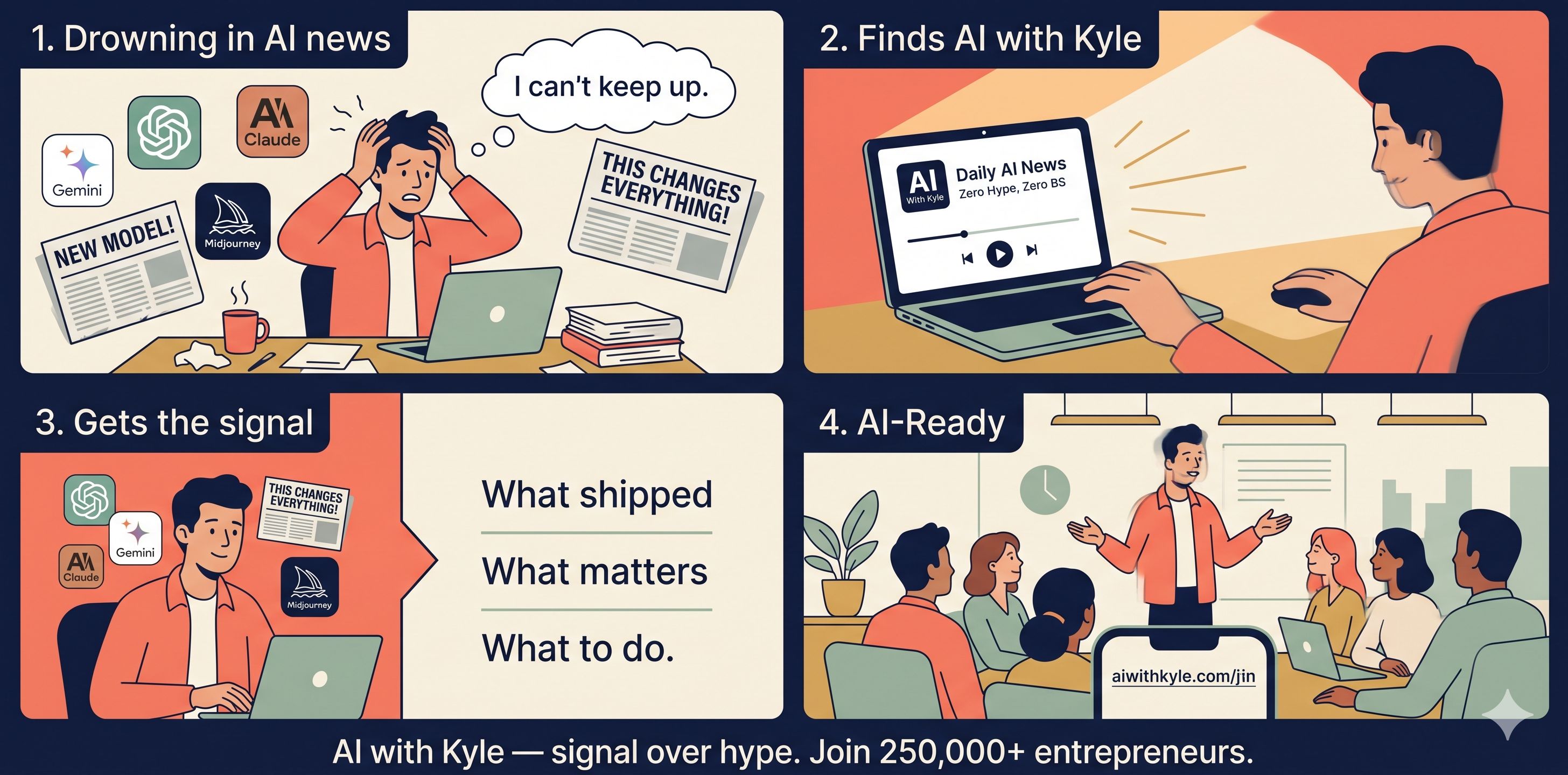
Follow-up prompt: "put this in Marvel style." Let’s push it and see it content consistency can be maintained whilst changing style.
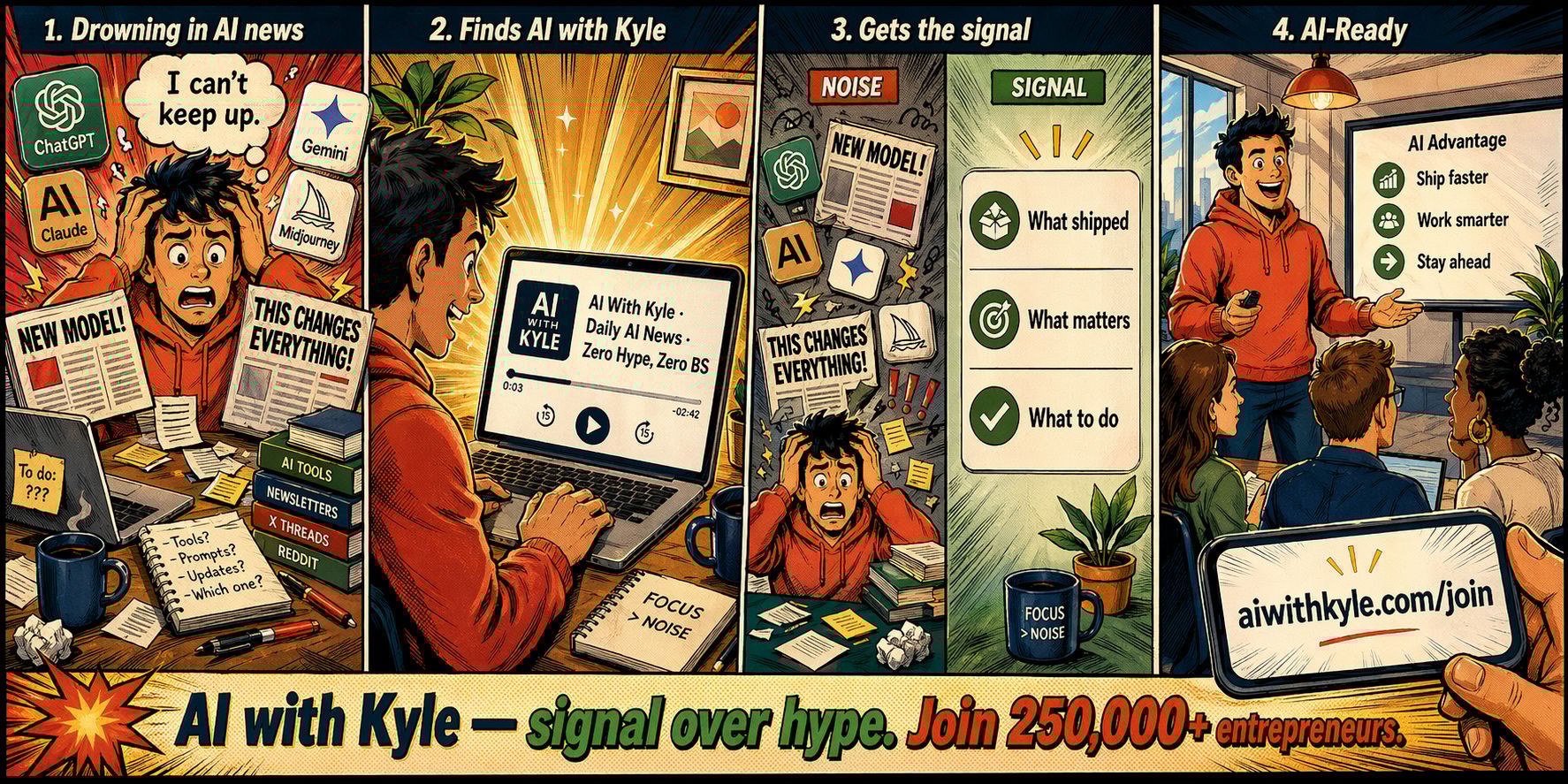
Not really “Marvel” but content consistency is solid
ChatGPT's reasoning was visible: "I can't use specific Marvel characters or logos since they're copyrighted. I'll apply half-tone shading, dynamic inking and energetic poses." Kept the exact same layout, same logos, same text. Applied stylistic overlay only. Massive engineering feat.
Nano Banana’s attempt duplicated the ChatGPT logo and the Claude logo without being asked (panel 1 and 3). Two extra logos appeared that weren't there before. And the text in 2 and 4 gets a little garbled.
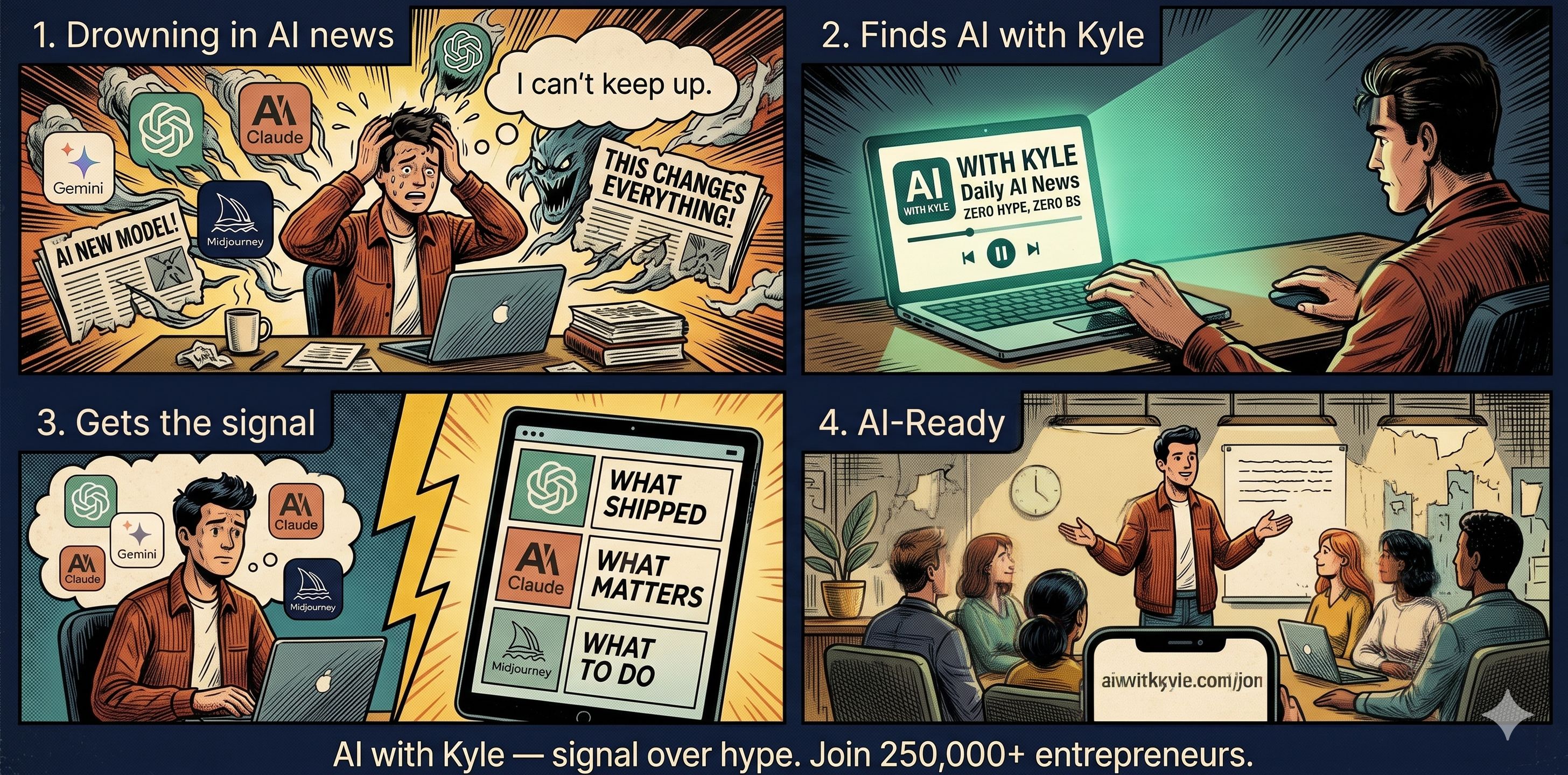
Character and asset consistency across panels is the single hardest thing for image models. ChatGPT Images 2.0 seems to treat the original image as a genuine reference. That last 5-10% of consistency is what separates "ship it" from "spend another hour fixing it." You’ll often spend much more time here than the actual generations!
Test 4: Event Poster With Working QR Code
This is where it got interesting.
Prompt was for a vertical event poster. Mediterranean sunrise over a rooftop, silhouette with laptop at the edge. Bottom right: functional QR code encoding aiwithkyle.com/join.
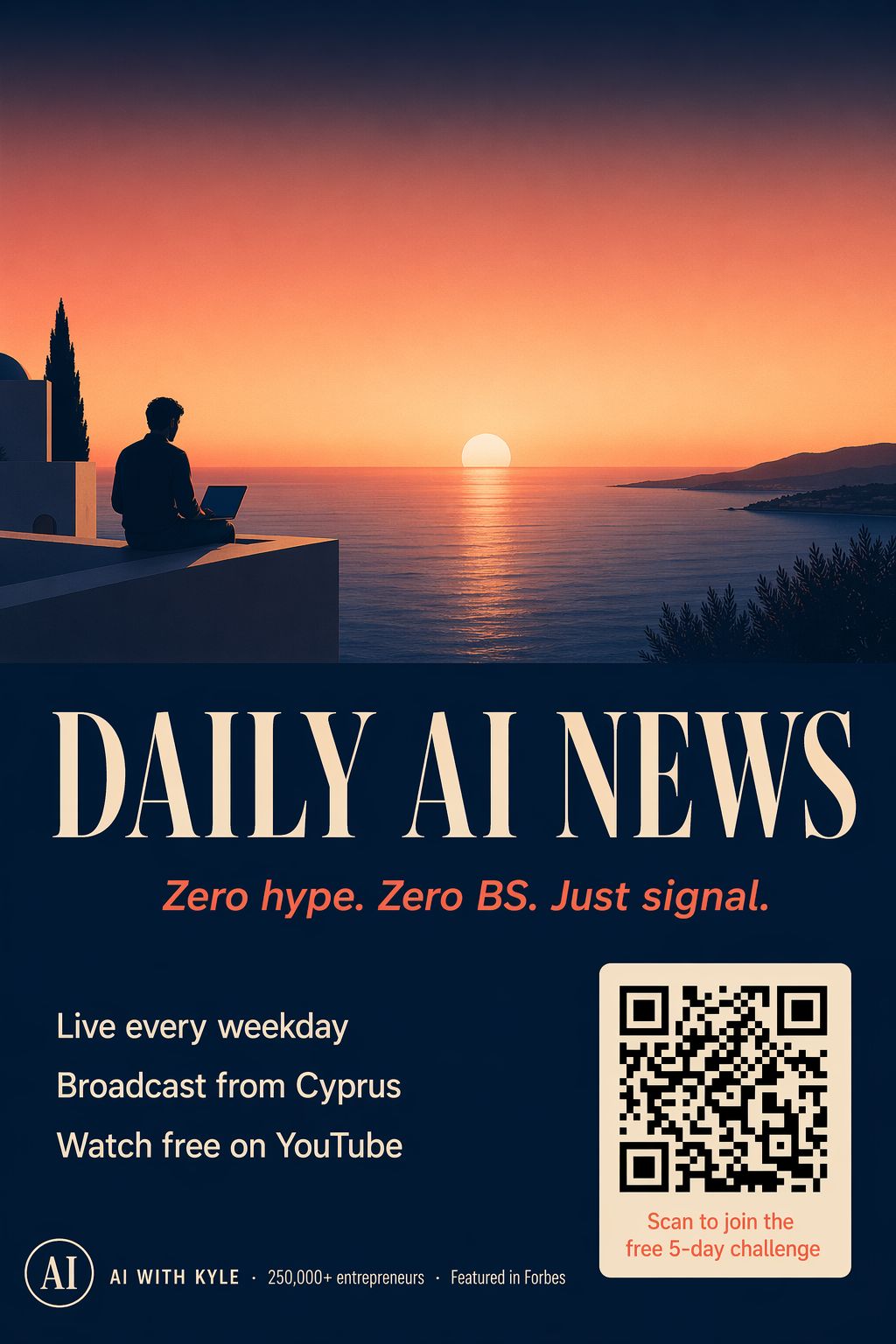
With a functioning QR! Very cool
ChatGPT's thinking chain actually showed me what was happening: "I'll create a QR code with Python, leveraging the library like qrcode. Afterwards I'll pass it along as a reference." It built the actual QR code first using a code interpreter, then embedded the finished code into the poster.
I scanned it with my phone. It worked. Opened my site.
Nano Banana looked at the same prompt, thought "they want a QR code, here's a QR code" - and hallucinated black-and-white squares that look like a QR code but encode nothing. I scanned it. Dead.
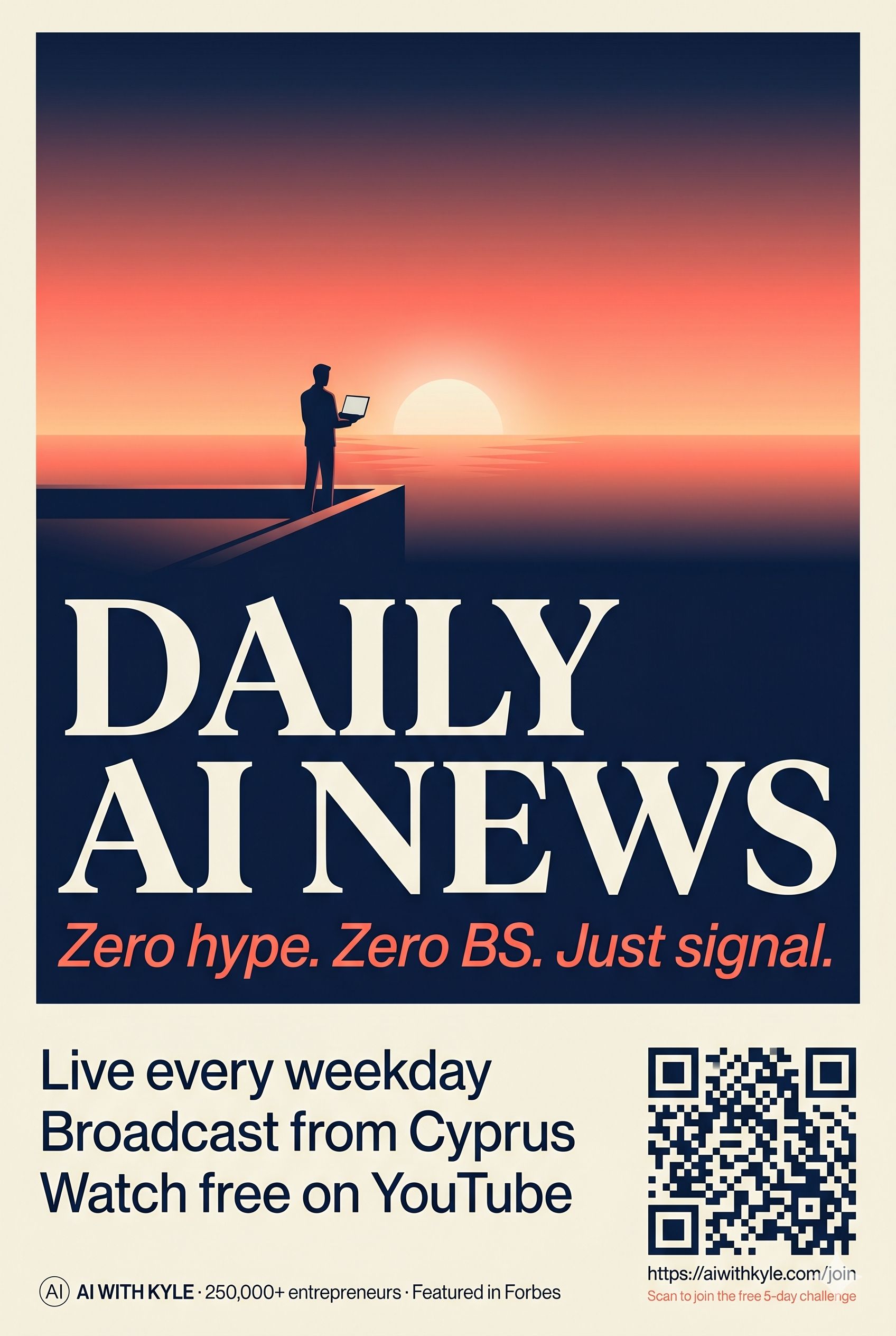
This is the paradigm shift, buried in one feature. Nano Banana treats an image as pixels to guess. ChatGPT Images 2.0 treats parts of an image as maths to solve. A QR code is maths, not pixels. It reasoned before it drew. That same capability will spread to charts, diagrams, tables - anywhere an image contains actual information. This is bigger than it looks. I’m not just getting excited about a QR code I swear!
Test 5: Full LinkedIn Carousel From An Article
This is the one that genuinely blew me away. Here’s the carousel on Instagram so you can see it in action:
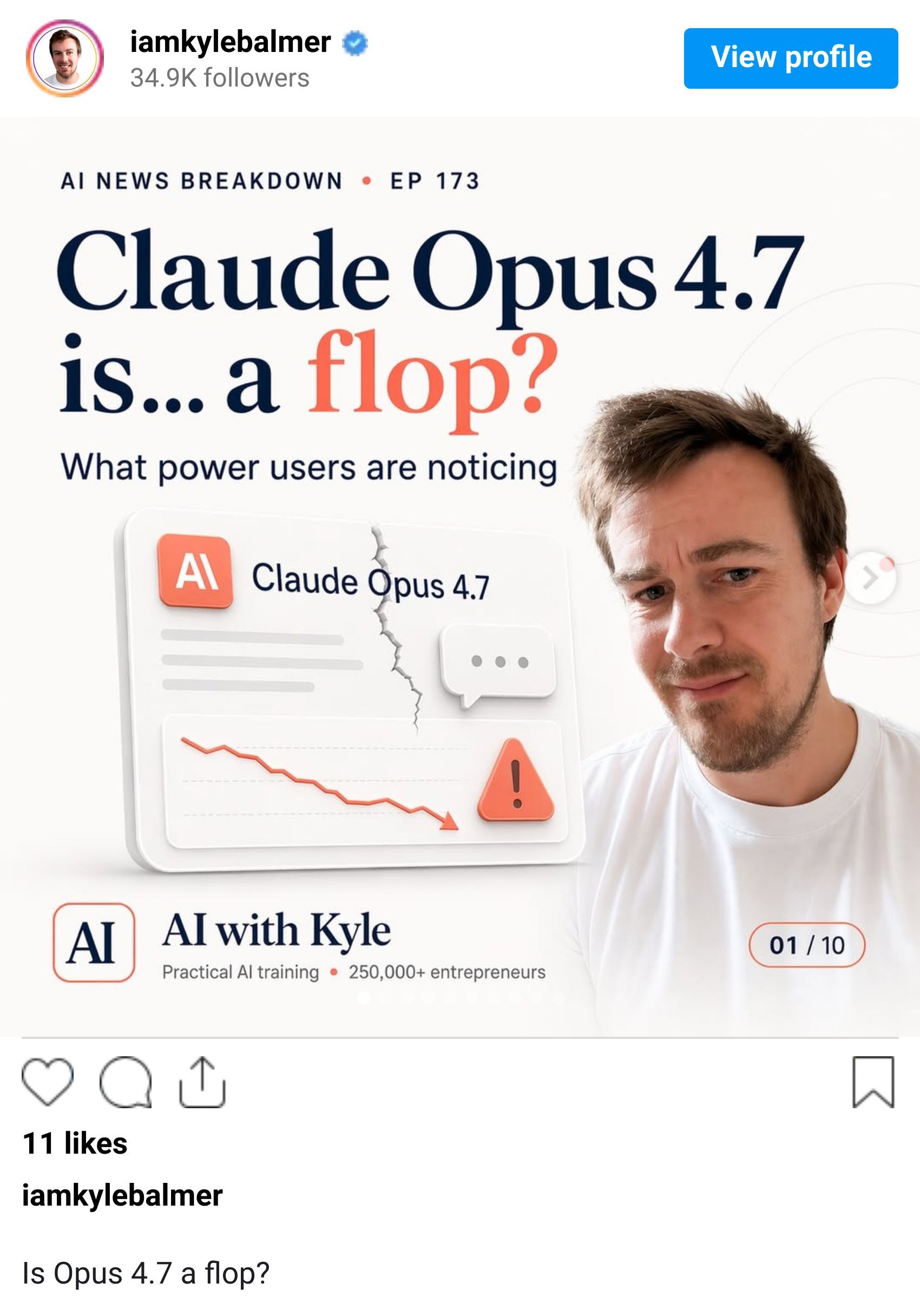
I gave it the URL to Monday's newsletter (the Opus 4.7 one, full article, images, everything). Single prompt: "convert this into a LinkedIn carousel, AI with Kyle branding." That's it.
ChatGPT went and read the article itself. Worked out what should be on each of 10 slides. Asked permission to generate the images. Then generated all 10 in one go.
The result was a complete, publishable carousel. Each slide had enough context to stand alone. The narrative flowed: problem, cynical theory, the real tokeniser issue, the auto-router problem, conclusion. The copy was short, visuals cohesive, and it pulled key numbers out of the article (the 35% tokeniser jump, the auto-router behaviour) and visualised them.
Nano Banana made 10 slides too. They looked nice. They said things like "Opus 4.7?" and "Sad robot" and "4.6 → 4.7" without any context. Cryptic quiz style. No standalone information.
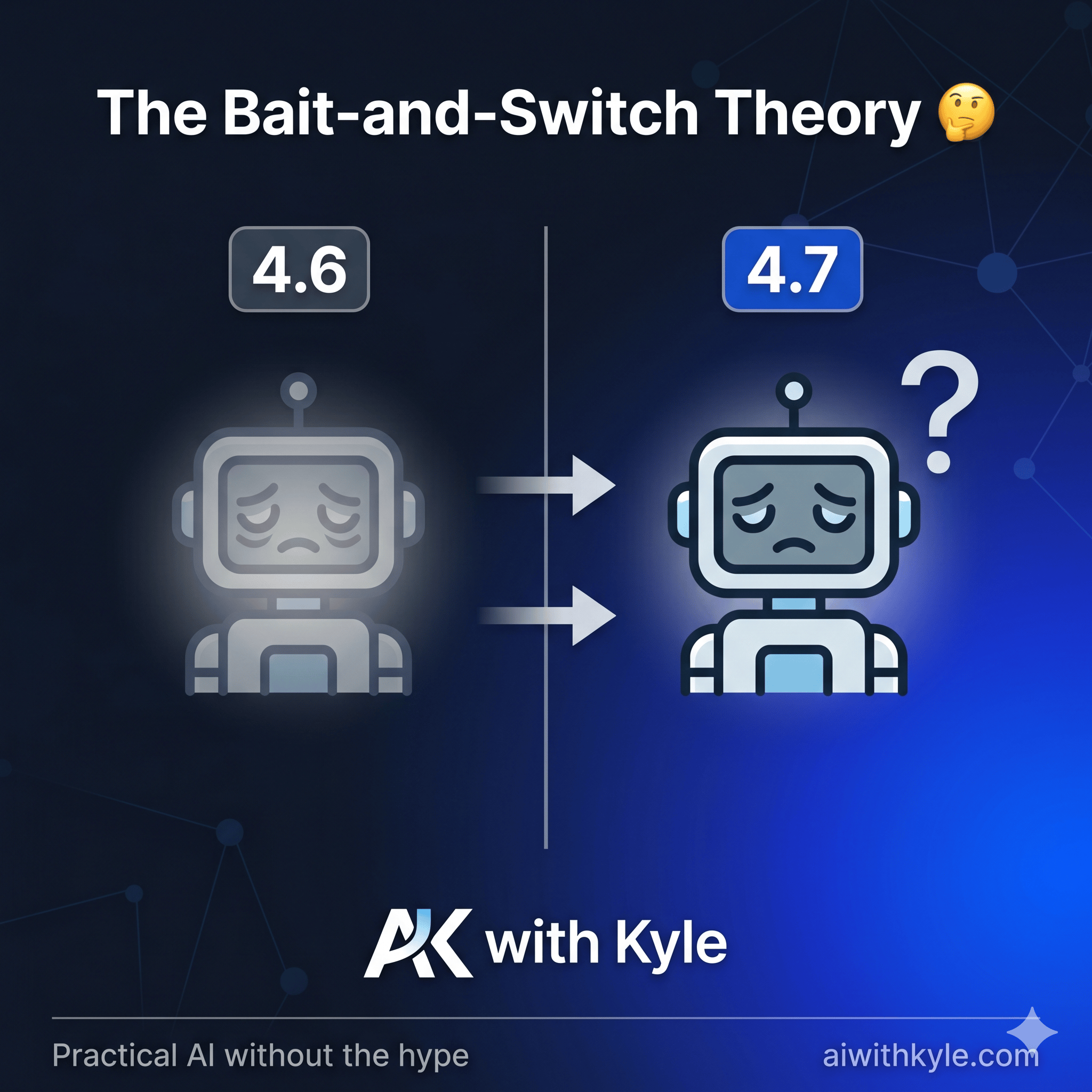
OK but what does this MEAN???
Here is the actually comprehensible ChatGPT version:
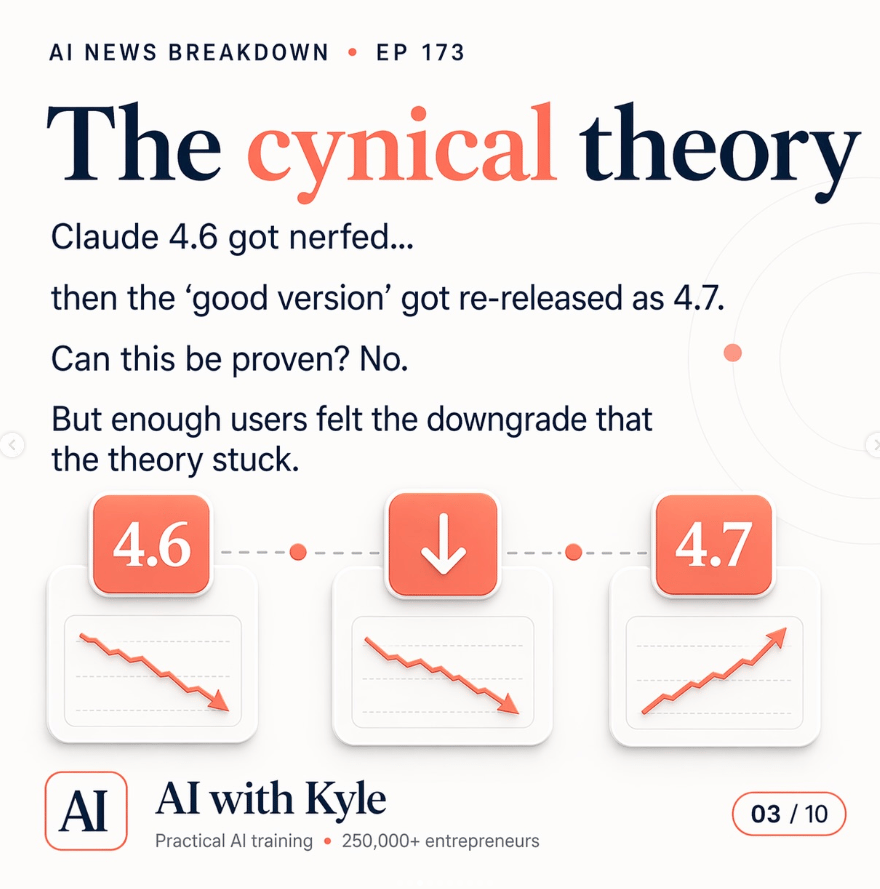
Actual context included
LinkedIn carousels and Instagram carousels are now a solved problem. Completely. This is the single biggest business use case change in image generation this year. If you're running content for yourself or clients, you can generate a week's worth of publishable carousels in an afternoon. I'm building a LinkedIn carousel automation today. Because of course I am!
What This Actually Means For Your Business
If you were paying a freelance designer £200 to knock out Facebook ad creatives, that expense just evaporated. If you were spending hours inside Canva building YouTube thumbnails, that expense just evaporated. If you were outsourcing LinkedIn carousel design, that expense just evaporated.
Localised ads, hook-driven thumbnails, multi-panel carousels, event flyers with working QR codes - all of these just became a prompt.
BUT the tech is available to everyone. So the edge isn't the tool. The edge is the brand context you feed into the tool. Make sure you have at least a one-page AI Brand Guide - hex colours, typography rules, mood, what to avoid, text treatment - pasted into every prompt. To separate "AI slop" from "on-brand, usable output."
AI design just became a commodity. Hell, it has been for a while. But what you do with it isn't. Non-technical entrepreneurs who build the best prompting systems right now have a months-long head start on their entire market. Get your brand document in place. Build an automation to generate assets automatically.
Most people will read this, think "neat," and do nothing. Don’t be that person!
Kyle