- AI with Kyle
- Posts
- AI with Kyle Daily Update 156


Claude Cowork: AI Stopped Chatting. It Started Working.
About two weeks ago, a cool $830 billion got wiped off the American stock market. Mainly SaaS companies. Software stocks.
The reason? It's becoming pretty clear that we can now spin up our own software. We can get AI to do the work for us. Not tell us what to do. Actually do it.
This has been promised for years. But since December it’s becoming a reality. It’s here.
I want to walk you through what that means, because most people have not caught up to this shift yet.
The Four Big Shifts
Ethan Mollick - professor at Wharton, smart guy - laid it out recently. From a user perspective, there have been four big moments in AI:
GPT-3.5. The first "oh, what's this?" moment. That's when I shut down my digital marketing agency because I could see where things were heading. It wasn't fully cooked though. It hallucinated, no web search, made stuff up. A lot of people tried it and bounced off. Those who us who took the time though realised that this was something important.
GPT-4. The first model you could actually use professionally. Should have been the first consumer release, honestly. But OpenAI wanted to get to market first so launched 3.5 anyway.
The Reasoners. Spring 2025. Models that think step by step, prompt themselves, reason through problems. This is where deep think modes and research modes came from. Only a year ago(!).
Agents. December 2025. AI that doesn't just chat with you - it does the work. This is where we are right now. And Cowork is part of it.
"Agents" was a buzzword all through 2025, but they were rubbish. Anyone remember Auto-GPT? It just didn't work. It was in December that we got Open Claw, and then more refined versions since. Cowork, Perplexity Computer, Manus. Agents that actually work.
2026 is legitimately the year of the agents.
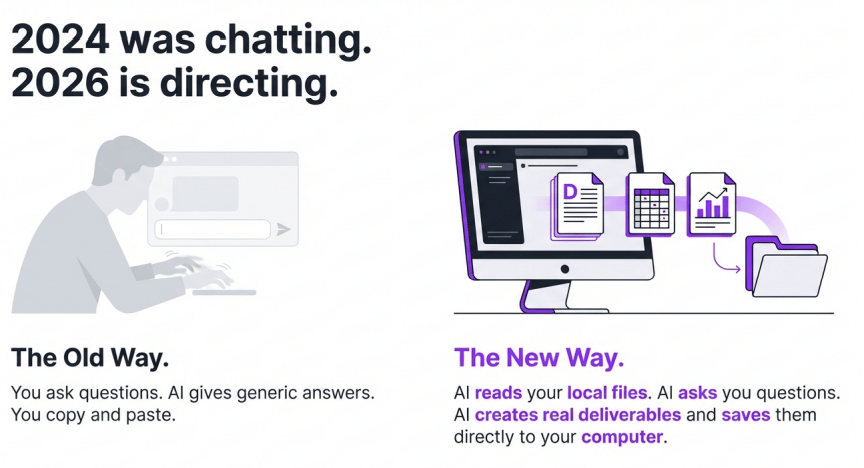
The Real Shift: From Chat to Do
For the last couple of years - since ChatGPT launched - we've been chatting. We talk to AI. It tells us what we should do. We go back and forth.
Totally fine. But limited.
That's changed. And it's really changed in the last two or three months.
Now when I go to my AI and say "I want to set up DM giveaways on TikTok and Instagram, look at what competitors are doing, find trending topics" - it doesn't just give me a plan. It puts together the plan, and then it goes and does the plan. It says "I need to connect to Twitter, I need this MCP connection, let me spin up Apify to scrape those TikTok videos, I'll use Playwright to automate your browser."
It is doing the task. We're not talking about the task with the AI anymore. It's getting on and doing the damn thing.
What Cowork Actually Is
With Claude Chat, you type a question and get an answer. Same as ChatGPT. Back and forth.
With Cowork, you point Claude at a folder on your computer. It reads everything in it. Then you give it a task and it goes and does it. Creates documents. Builds spreadsheets. Writes reports. Saves finished files directly to your computer.
You're directing a worker, not prompting a chatbot.
Here's a quick example. I said "sort my invoices and send them to my bookkeeper." One sentence. Cowork asked me a few questions - where do you want to drop invoices? What format? How should they be sorted? Then it built the entire system. Folder structure, PDF reader, processing script, monthly scheduled task. Done.
Chat would have given me a plan. Cowork built the thing.
Step 1: What You Need

The desktop app. Cowork only runs in the Claude desktop app. Not the website. Not your phone. Go to claude.ai/download. Mac or Windows.
A paid plan. You need Claude Pro at minimum ($20/month). If Cowork becomes your main workflow, you'll want Max ($100/month). It burns through usage faster than regular chat.
Model settings. Inside the app, set the model to Opus 4.6 with Extended Thinking ON. This is the smartest model. Don't use anything else for Cowork tasks.
Step 2: Build Your Folder

Create a folder on your computer called "Claude Cowork" or whatever makes sense. Inside, create four subfolders:
ABOUT ME - Who you are and how you write.
PROJECTS - One subfolder per project. Briefs, references, drafts.
TEMPLATES - Work that went well. Not the content - the structure.
CLAUDE OUTPUTS - Where Cowork saves everything it creates. The only folder it writes to.
CLAUDE COWORK/
    ABOUT ME/
        about-me.md
        anti-ai-writing-style.md
    PROJECTS/
    TEMPLATES/
    CLAUDE OUTPUTS/
Why separate them? Cowork has real read/write access to your files. If something goes wrong, you want the damage contained. Read folders stay clean. Write folder is the only place it delivers work.
Step 3: Create Your Core Files

Two files. Both go in your ABOUT ME folder. These are the reason your output stops sounding like generic AI.
about-me.md - Who you are. Not a CV. Write it like you're explaining yourself to a new colleague. What you do, who your audience is, what you're working on right now, how you like to communicate.
anti-ai-writing-style.md - Tell Claude what NOT to do. No "in today's fast-paced world." No corporate jargon. Contractions always. Short paragraphs. Your specific pet peeves about AI writing.
You don't even need to write these yourself. Open Cowork, point it at your folder, and use this prompt:
"I need to create two context files. Ask me questions about who I am and what I hate about AI writing using the AskUserQuestion tool. Then write about-me.md and anti-ai-writing-style.md in my ABOUT ME folder."
Claude asks you the right questions. You click answers. It writes the files. Done in 5 minutes. Basically tell Claude what you are up to and ask it to interview you.
For me I personally also gave mine 2.5million words of my “voice” to build tone of voice from. First around 400,000 words from hand written newsletters. Plus 1.5m++ words from transcripts from my livestreams. My language, very specifically.
I also gave it the excellent “Signs of AI writing” guide from Wikipedia as a do-not-do-this guide.
Step 4: Set Global Instructions
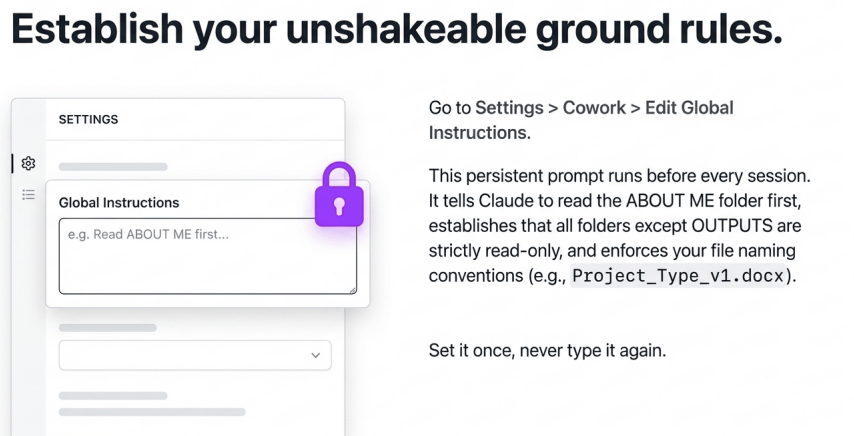
Go to Settings > Cowork > Edit Global Instructions.
This is a persistent prompt Claude reads before every session. Set it once. Never type it again. Tell it to always read your ABOUT ME folder first, always check for relevant project files, always deliver to the CLAUDE OUTPUTS folder, and never delete anything.
The full copy-paste template is in the PDF guide attached to this email. It's about 20 lines. Paste it in and forget about it.
Step 5: The One Prompt That Runs Everything
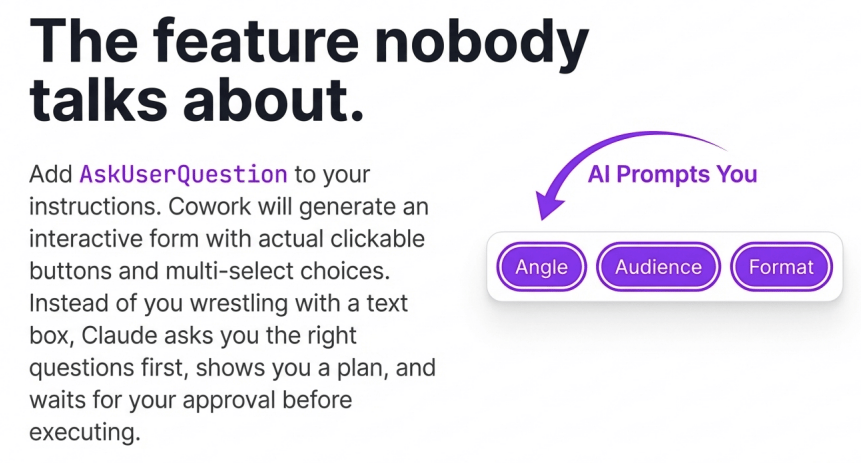
80% of my Cowork sessions now start with this:
"I want to [TASK]. Explore my folder first. Ask me questions using the AskUserQuestion tool before you execute."
That's it. Short task. Point to the folder. Ask me questions first.
Claude generates a proper form with clickable options. Instead of you writing the perfect prompt, it asks YOU the right questions first. What's the angle? Who's the audience? How long? What tone?
You click through in under a minute. It shows you a plan. You approve. Then it builds the actual deliverable and saves it to your computer.
What I've Actually Built With It
These are literally some top of mind examples from the weekend.
TikTok comment bot. You know when I say "comment GUIDE for the PDF"? Hundreds of people comment. Cowork goes into TikTok Studio, finds the unanswered comments, sends rotating link messages. Max 40 per run. Waits 20 seconds between each. Runs hourly on my Mac Mini. ManyChat can't do this on TikTok. Cowork can.
Newsletter writing. My folder has my writing style guide and past newsletters. I give it a topic and tell it to ask me questions first. What used to take 3 hours takes 45 minutes. Same quality. Because the folder does the heavy lifting, not the prompt.
Invoice processing. One sentence prompt. It built folders, a PDF reader, a processing script, and a monthly scheduled task. The whole system.
Now…should you do these automations? NO. You need to think about what your life and your business needs. What I use Cowork for isn’t important!
What you can do is ask Claude to help you work out potential tasks. Literally tell it that you want to start using Cowork and for it to ask you about your usual workday and to look for opportunities. That’s it.
Where It Falls Short

Being honest. There are still teething issues.
It burns through your plan limits fast. Budget for the $100/month plan if you're using it daily.
Desktop only. Close the app, session dies. You need a computer that stays on. I have a MacMini that is always on. I also remote to it via Claude Code and /remote-control. I’ll cover that another time though!
Still a preview. It can misread files or take odd approaches. Always review the output before sending anything to a client. Honestly this is sound advice for all AI usage.
Remember too that Cowork is about one month old. It’s got a LOT of room to grow. My bet is that it’ll be combined with Claude Chat (and/or Claude Code) as right now it’s sorta a weird in-between tool.
The Cheat Code
Best bit. You can take the entire PDF guide below, paste it into a Cowork session, and say "set this up for me."
Cowork reads the guide. Asks you questions about who you are. Creates your files. Builds your folder structure. All you do is paste in the Global Instructions manually. AI setting up your AI.
Pro-tip: anytime you see a guide on social media about “Get Claude to do this” or “Why aren’t you using Claude for this”….copy the guide and chuck it into Claude and say “hey, implement this”.
There's a Lot More
Cowork is one piece. There's Skills, Connectors, MCP, Claude Code - a whole ecosystem I'll be covering this week.

Today I'm at Google for an interview at their YouTube studio, so no livestream. And it’s my birthday. BUT Wednesday we're back and I'll be covering Skills in detail!
For now, Cowork is where you start. 30 minutes to set up.
Use the guide + use the Youtube video as needed!
Kyle
Streaming on YouTube (with full 4k screen share) and TikTok (follow and turn on notifications for Live Notification).